Troubleshooting
When Loccy is set up correctly, it renders each translation inline next to its key, so you read the actual copy, not t('reservation.title'):
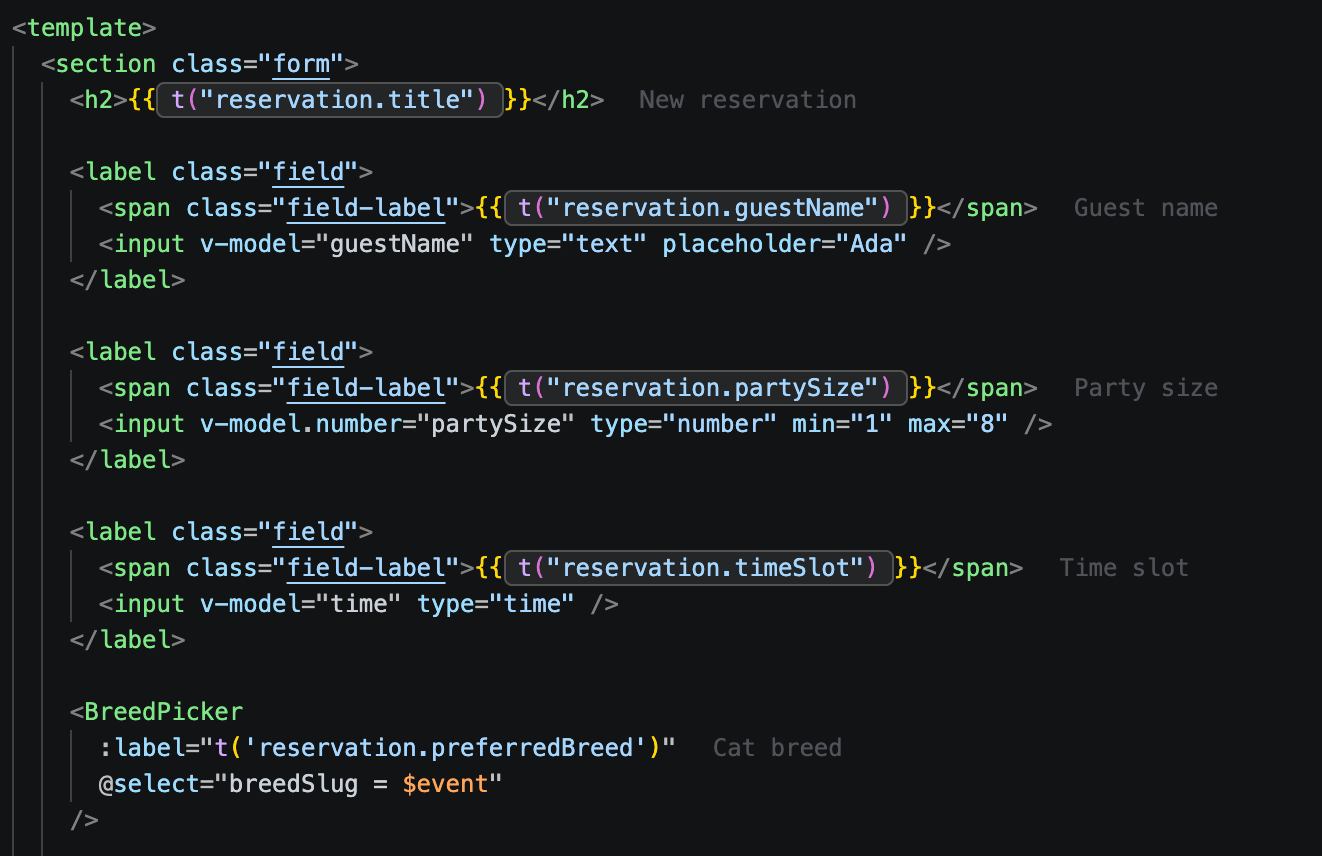
If yours doesn't look like this, find your symptom below.
#First: Loccy expects a standard setup
Loccy works by static analysis: it reads your JSON translation files and your source code as written, without running your app. When your i18n setup follows the framework's official docs, everything is detected automatically. Almost every issue reported in the community comes from a setup that diverges from it:
- Translations in JS/TS, not JSON. Loccy reads JSON files only.
- Translations assembled at runtime. Loccy only sees what's on disk, not files merged, namespaced, or reshaped in JS/TS.
- next-intl treated like react-i18next. next-intl has no namespaces: the argument to
useTranslationsis only a key prefix, and messages stay one file per locale. - The t-function passed in from another scope. Loccy misses the namespace/prefix bound to it, so keys look unresolved or missing.
The closer you stay to the documented setup, the less configuration Loccy needs. The two symptoms below expand on these causes.
#No previews shown
No inline text appears next to your keys at all:
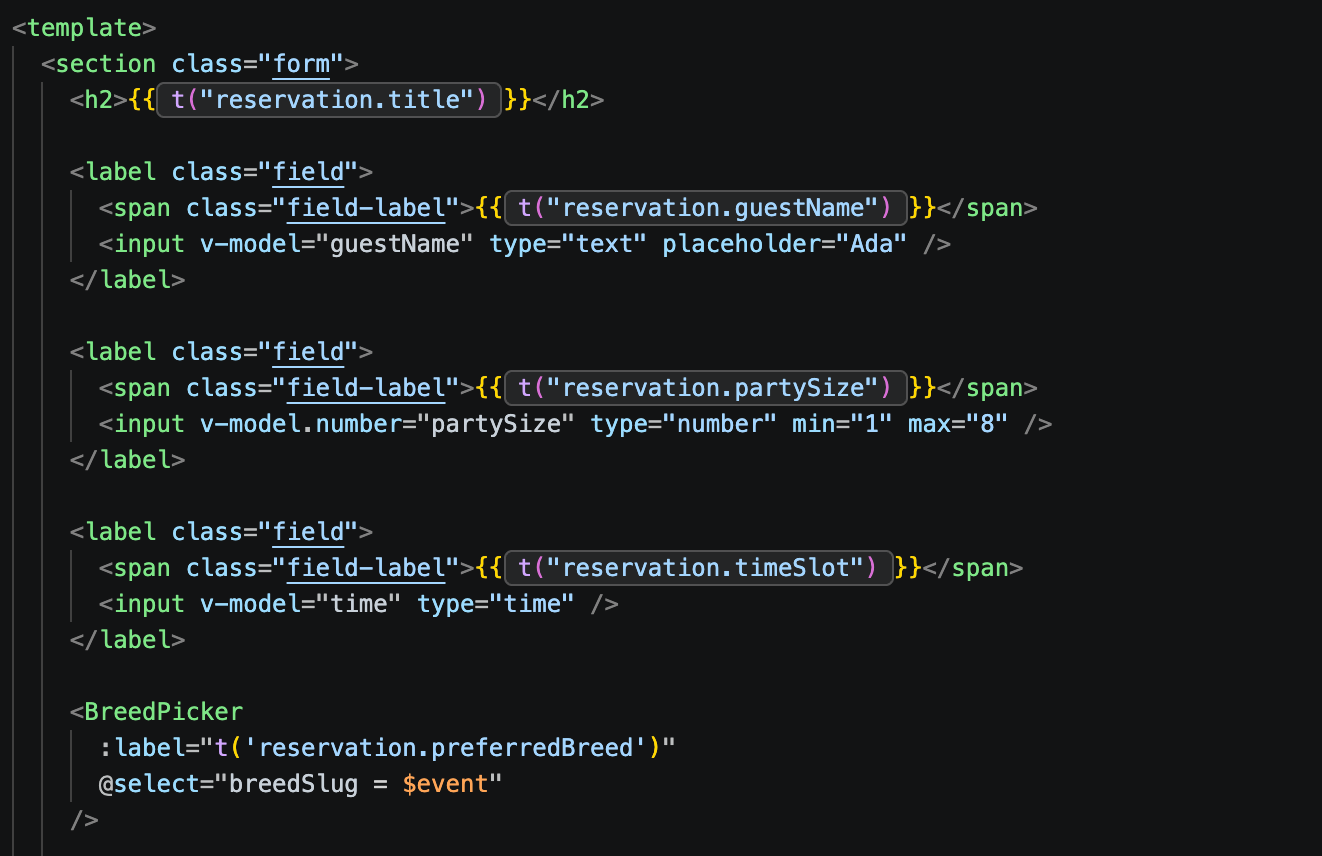
Loccy shows previews only once it has found both your translation files and the calls that use them in your code.
#Are your translation files detected?
Check these in loccy.yaml (how to create one):
| Key | What to verify |
|---|---|
translations.glob | Glob must actually match your files. Loccy reads JSON only. |
translations.layout | Pattern must match your layout: {locale}.json for per-locale files, {locale}/{namespace}.json for per-locale folders. |
framework | Must match your i18n library: react-i18next, next-intl, vue-i18n, or custom. |
framework: vue-i18n
translations:
  glob: src/locales/**/*.json
  layout: "{locale}.json"
#Are your translation calls detected?
If files are detected but keys still render bare, Loccy isn't matching the t() calls in your code:
| Setting | Default | Fix |
|---|---|---|
usages.customTFunctions | [] | Add your wrapper's t-function names if you don't call the framework's built-in t-function (usually t / $t) directly. |
usages.detectKeysInStrings | true | Recognizes keys passed as bare strings (when a matching translation exists). Leave on unless you have many key-shaped non-translation strings. |
usages.include | framework default | Must cover the files with your calls. Git-ignored files are skipped automatically. |
#Is only the hover menu missing?
Inline previews show, but hovering a key opens nothing. The hover menu uses VS Code's hover system. Re-enable it:
{ "editor.hover.enabled": true }
#Missing translations shown
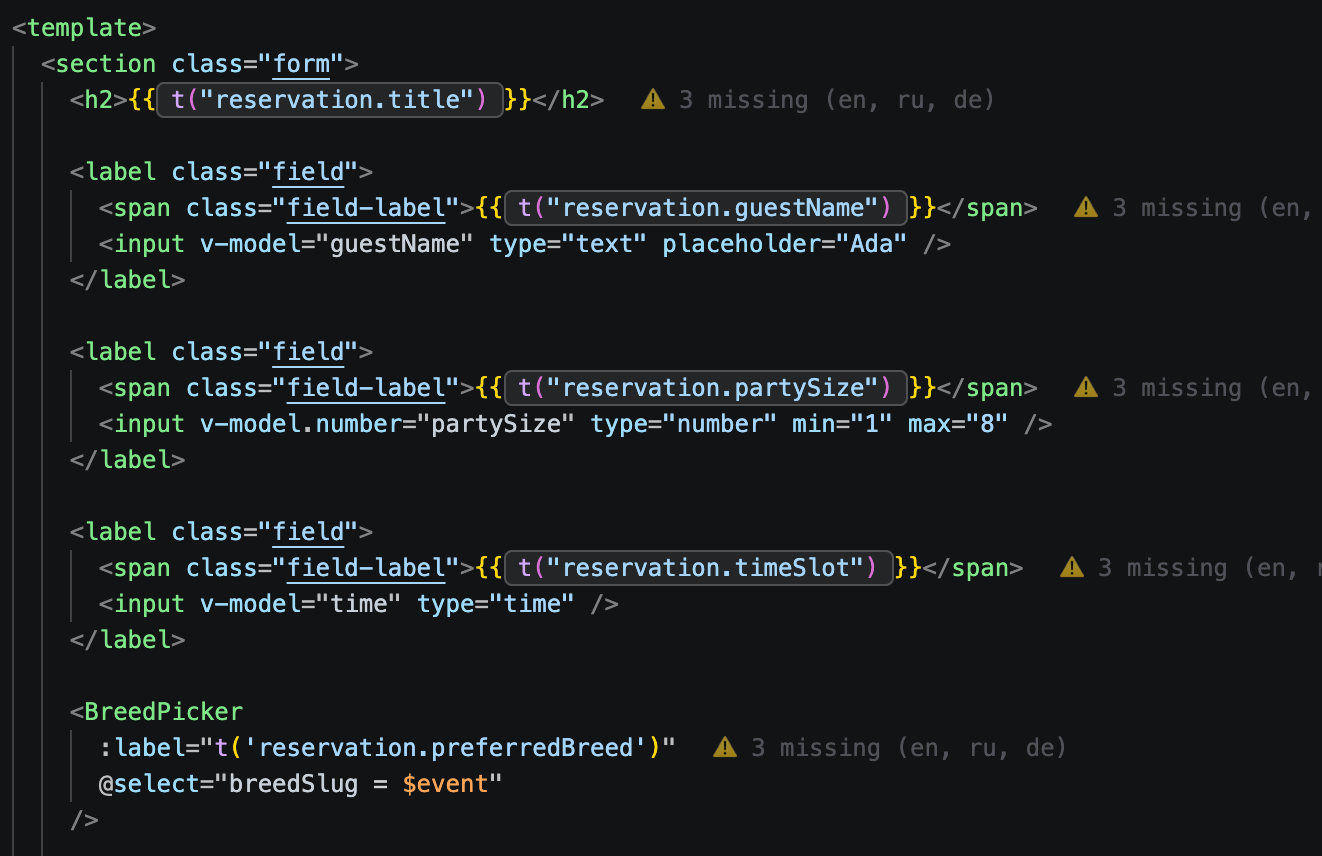
Previews render, but with a ⚠ warning listing locales that are missing the key:
#The t-function is passed in from an outer scope
Loccy computes a keypath from the t binding in the same file. If t arrives with a namespace/prefix already bound (passed in as a prop, or from a parent), Loccy resolves the bare keypath without that prefix, doesn't find it, and reports the key as missing:
// ❌ t is passed in: its "reservation" namespace lives only in the type,
// so Loccy looks up 'guestName' (not 'reservation.guestName') and reports it missing
function GuestNameField({ t }: { t: TFunction<'reservation'> }) {
  return <Input placeholder={t('guestName')} />
}

// ✅ create the binding where the keys are used
function GuestNameField() {
  const { t } = useTranslation('reservation')
  return <Input placeholder={t('guestName')} />
}